Your loved one's care should not fall on you alone.
CareNest gives your family one simple place to see what's needed, claim appointments, share updates, track care details, and stay involved, so you are not the only one holding everything together.
Instant access · No complicated app · Guided setup · 30-day guarantee
Everyone says "ask for help." But help is hard when you have to manage all of it.
When everything runs through one caregiver, even small things become exhausting.
CareNest gives your family one shared place to see the needs, claim tasks, track appointments, and post updates, so helping does not always have to start with asking you.
Give your family one place to participate.
Five ways CareNest turns "let me know what you need" into "I can take this."
Claim doctor appointments
Family members can see upcoming appointments and take responsibility without another group text.
See current needs
List supplies, meals, rides, errands, check-ins, or coverage needs so everyone knows where help is needed.
Share status updates
Post notes after visits, calls, or appointments so the family stays in the loop.
Track care details
Keep medications, doctors, documents, contacts, routines, and notes easy to find.
Make help visible
Everyone can see what has been handled, what is still open, and where they can step in.
One shared view for the whole family
Stop being the family command center. Move from explaining everything to letting others see and take ownership.
Less group-text chaos. More shared responsibility.
CareNest helps turn scattered texts, memory, and last-minute requests into a shared view your family can actually use.
Instead of "Let me know what you need," family members can see what needs doing and take ownership.
Built for the default caregiver.
You are the one who knows the routine, the medications, the appointments, the paperwork, and the little things no one else notices.
CareNest helps you make that invisible load visible, so others can step in without waiting for you to direct every move.
Peek inside CareNest
See how your family will see, claim, update, and coordinate care together.
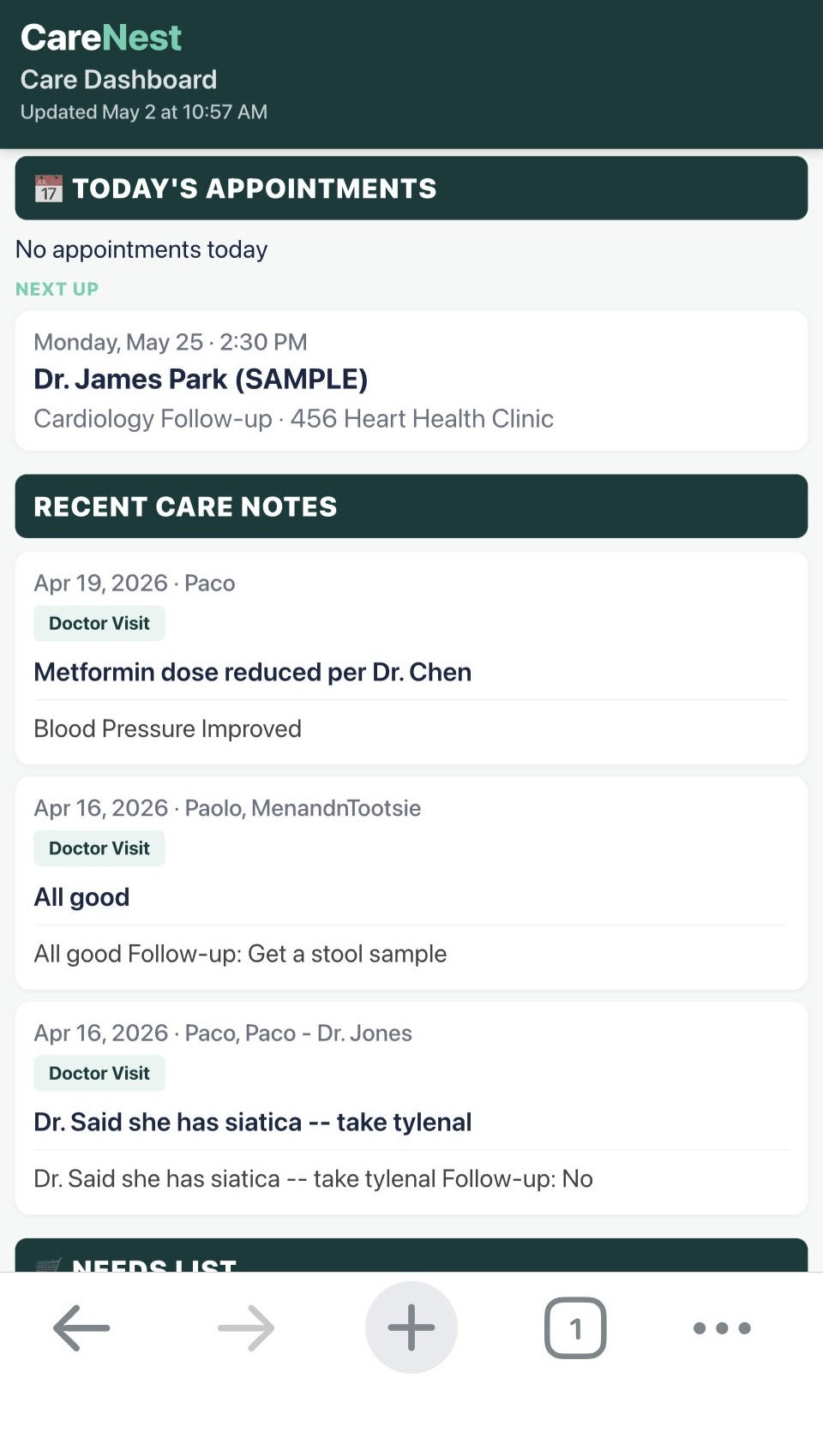
One place to see what's happening
Mobile-friendly view that family members can open anytime to see today's needs, appointments, and recent updates.
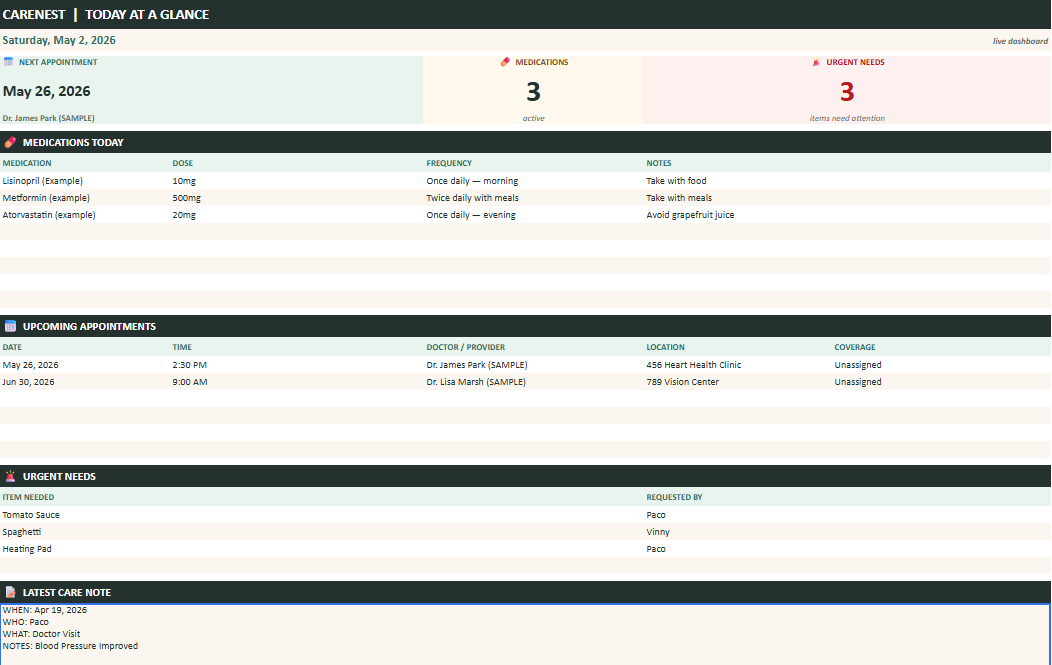
What needs help today
The desktop view shows open needs, claimed tasks, and care updates so everyone can find their part.
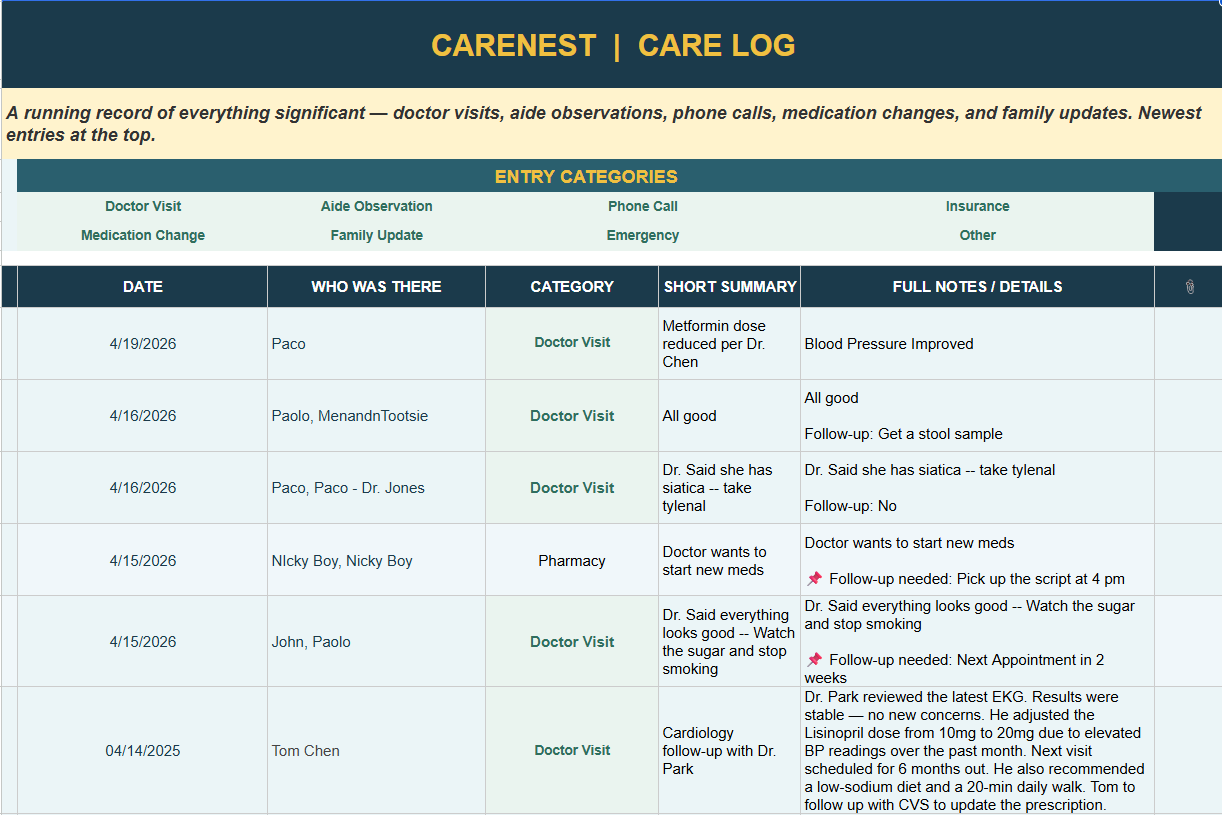
The care details, organized
Medications, doctors, contacts, appointments, documents, notes, and routines, all in one place.
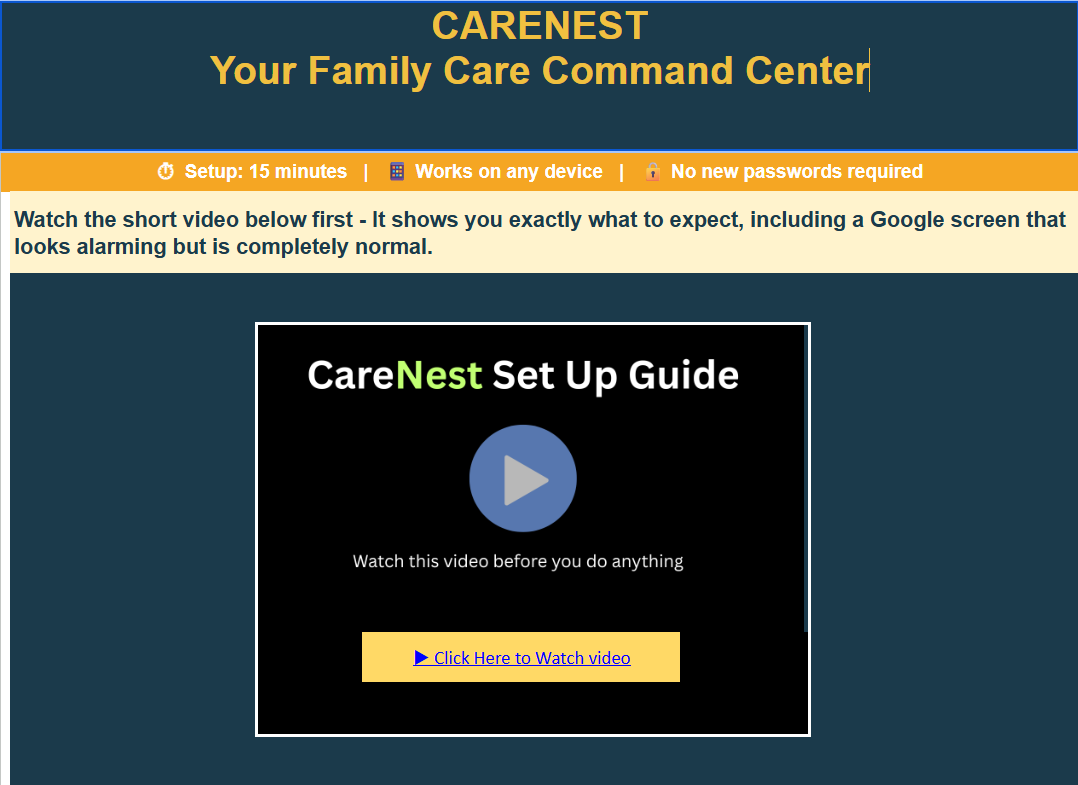
START HERE walks you through it
The first tab includes Paolo's setup video so you can watch, pause, and complete each step at your own pace.
One shared system for the whole family.
One shared place for your family to coordinate appointments, needs, updates, care details, documents, and responsibilities.
Instant access · No complicated app · Guided setup · 30-day guarantee
One-time purchase. Instant access. Includes guided setup video and 30-day email support.
Start with the free CareNest Backup Plan.
Create a simple guide with the most important care details someone else would need if they had to step in tomorrow.
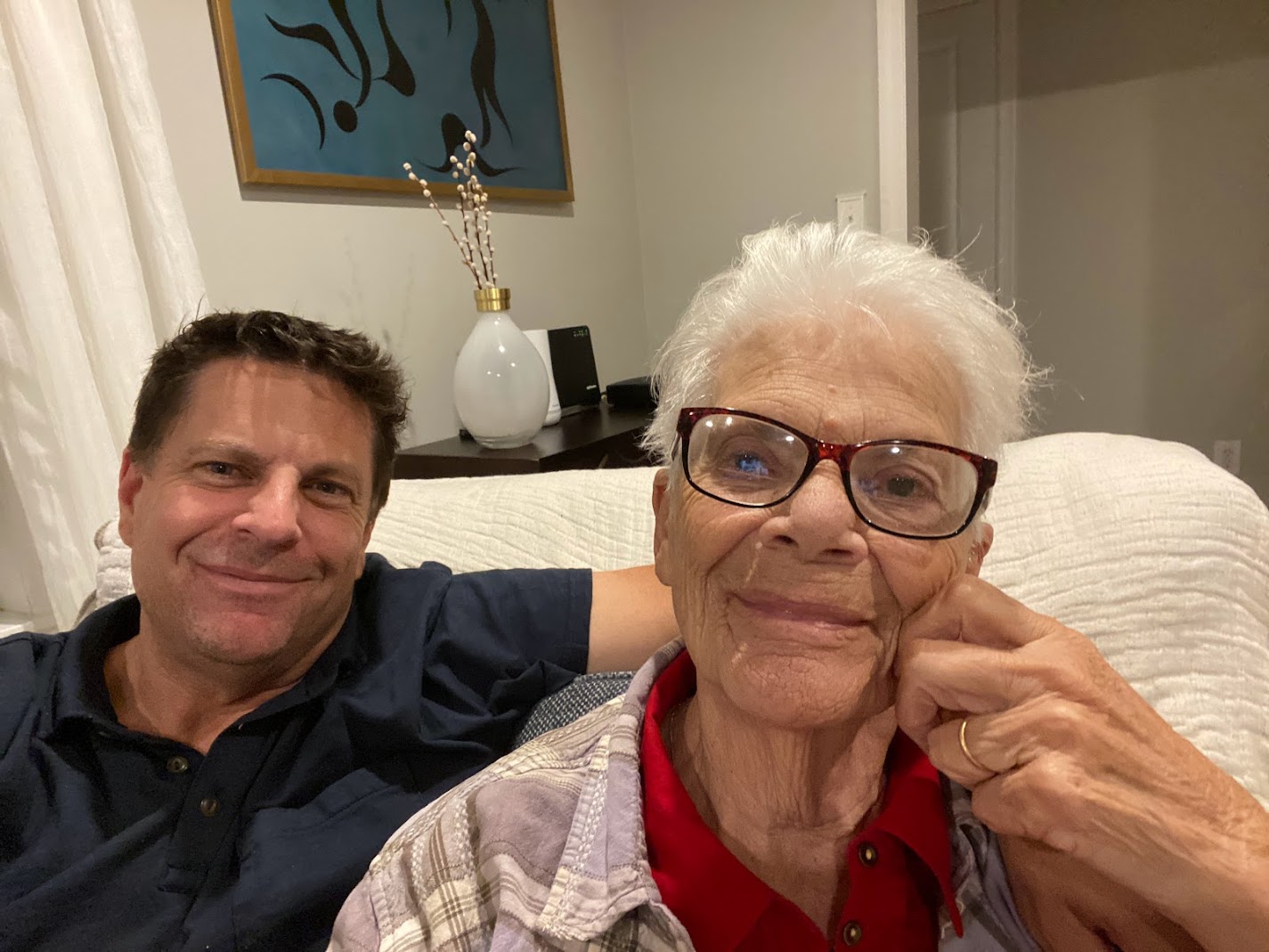
Paolo with his mother, Anna.
I built CareNest because I lived it.
When my own parents' health started declining, my sister and I tried to coordinate everything with group texts, scattered notes, and one person's memory. It did not work.
CareNest is what I wish my family had from day one. One shared place where everyone could see what was needed, what had been handled, and where they could step in, so the whole thing did not run through one tired person.
— Paolo, founder of CareNest
Frequently asked questions
Simple answers before you buy.
Is CareNest another app my parent has to learn?
No. CareNest is designed for adult children and family caregivers. The lead caregiver sets it up, and family members open a simple shared link to see what is needed and take ownership.
Do I need to be technical?
No coding required. The guided setup video walks you through copying the system, activating the menu, and sharing access. If you can follow step-by-step instructions, you can set it up.
Can the rest of my family really use this?
Yes. Family members open a mobile-friendly link, see what is open, claim what they can, and post updates. No app to download, no new account to create for each person.
Can I set CareNest up from my phone?
Initial setup requires a laptop or desktop. After setup, your family can use the mobile-friendly view from their phones.
Is this medical advice or a clinical record?
No. CareNest is a family coordination tool, not a medical record system. It does not replace clinical care, medical advice, or emergency services.
What is the refund policy?
If CareNest is not a fit, you can request a refund within 30 days.
Stop being the family command center.
Give your family one shared place to see the needs, claim tasks, share updates, and step in, so the whole thing does not run through one tired person.
Get CareNest · $67Instant access. Includes guided setup video. 30-day money-back guarantee.
Not ready yet? Create a free Backup Plan first →